Posts

Showing posts with the label RAW

Making the move to Capture One
Image
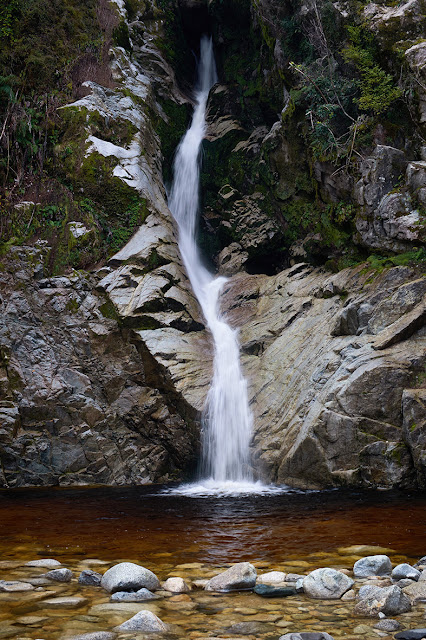
If you have been around the Fujifilm ecosystem for any length of time, you will be well aware of the Lightroom vs Capture One for RAW processing debate. I've looked into this myself in the past here and decided that the dreaded Fuji 'worms' problem with RAF files wasn't so much a Fuji issue as it was an Adobe Lightroom issue. And therein lies the problem. Dorothy Falls , processed in Capture One Pro As an Adobe user myself, I have been loathed to change from Lightroom. I'm used to the UI, and until recently, I liked the results that I have been getting from Lightroom (more on that later). When I looked into the worm issue, I concluded that as long as you didn't oversharpen the files in Lightroom, then you would be fine. But, maybe I was wrong about that? Because recently I decided to test three cameras' image sensors against each other (see that post here ) - the full frame Sony a99, my APS-C Fujifilm X-E2, and an Olympus micro four thirds OM-D E-M5. Much t...
My X-E2 'upgrade' continues. Sort of...

Image
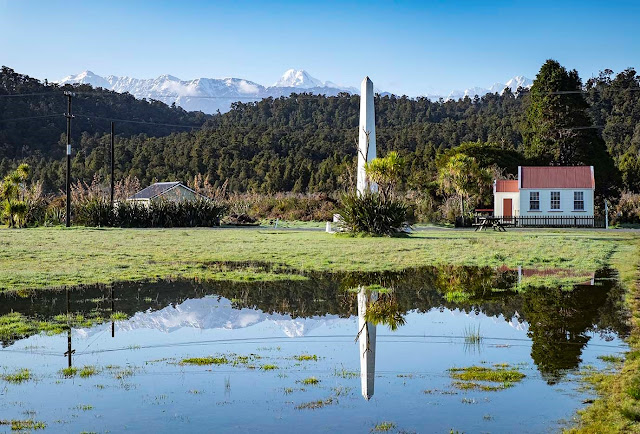
It's been almost two weeks since my last post - a post where I outlined my likely 'upgrade' path of my X-E2 to the more SLR-styled X-T20. A lot can happen in two weeks - and indeed a lot has happened. More than enough to make me want to change my mind about my last post. Let me explain... Old School House, Okarito. Fujifilm X-E2 with XC16-50mm First, I should say that I don't disagree with anything I wrote in my last post here . I believe every word of it. If I was to 'upgrade' my X-E2 body, I would choose the X-T20 (considering present budget constraints). But I also said in my last post that I am not unhappy with my current X-E2, and that any upgrade was more for firmware/software reasons than any megapixel or performance update. Having established that, if I kept everything exactly as it was and simply swapped out the X-E2 for an X-T20, would I really notice a difference in my images? Seriously? After some fairly serious self-reflection and a very timely yo...

Should you post-process a Fujifilm Jpeg?

Image
One of the major arguments for shooting Jpegs instead of RAW is that the 'look' you want is already baked into the file and you don't need to post-process the image. The whole SOOC (straight out of camera) movement has become very popular with the rise of Fuji film simulations and custom 'recipes'. I'm having a blast shooting with my custom film recipes on the Fuji X-E2 - but does this really mean that I'm only showing images SOOC? Is there no post-processing involved at all? And if there is, how much can you do on 'only' a Jpeg? Well, to answer the first question - No, I'm not just showing images SOOC. I do still process my Jpegs to get the final image. Some admittedly more than others. I thought it might be worthwhile looking at a few recent examples, where I have done a reasonable amount of post-processing work on a Jpeg, and discuss why. Original image. E100SW recipe SOOC On a recent trip to Rapahoe Beach to try out my Acros film recipe (post...

Shooting Jpeg Only for 6 months!

Image
Yeah, I know - the Jpeg vs Raw debate is about as old as Canon vs Nikon - and about as interesting (not). Any photographer worth their salt will tell you that you should only ever shoot in Raw, and if you absolutely HAVE to have a Jpeg (for some bizarre reason), then shoot in Raw + Jpeg (and then throw the Jpeg away). I'm one of those photographers, to be honest. I've pretty much only ever shot in Raw since picking up my Nikon D70 sixteen years ago, and have never really understood the Raw + Jpeg argument. If you've shot Raw, what on earth would you need the (inferior) Jpeg for? Ok - maybe sports photographers had a case for shooting jpeg once upon a time (when cards were measured in Megabytes and not Gigs). But for 99.99% of the rest of us, just shoot Raw. Job done. But... (isn't there always a but)... more recently - and I mean only in the last few years - the allure of shooting Jpeg-only has been brewing. More and more 'serious' photographers ...

Beware of the Worms - sharpening Fuji files in Lightroom

Image
Worms. Not a word I typically associate with photography. We have a dog though. And yes, worms is a topic of conversation that is often associated with her (every 6 months with the vet). Yet since moving to the Fujifilm system, I have come across the term 'worms' being mentioned in relation to Fuji images on many occasions. Mainly in regards to the post-processing of files from the x-trans sensor, in Adobe's Lightroom. Rock the Boat. Fuji X-E1 with Fujinon XF 27mm f2.8 pancake. f/5.6 @ 1/480th, ISO 200. C1: Classic Chrome recipe Many people report to seeing 'worm-like' artifacts in Fuji files, specifically after image sharpening. Fuji files have become somewhat notorious for the dreaded 'worm' effect. Lots of reports on the interwebs discuss the issue, and refer to photos that look like watercolour paintings due to the worm-like pattern that pervades the entire image. This kind of talk is, not surprisingly, cause for some concern. And ...

A quick shoot with the X10

Image
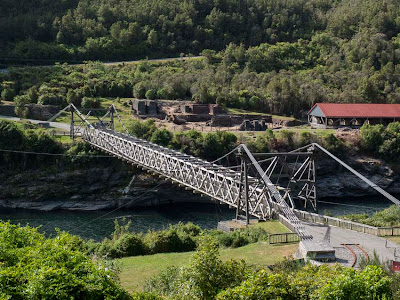
Weekends are busy around the Lorimer household, with chores, gardens and lawns to keep up with. We've had an amazingly long, dry, hot summer here in New Zealand, and the warm weather continues - but I've been itching to get out with the Fuji X10 and have a 'play'.  I finally got my chance late yesterday (Sunday) afternoon, so I headed to a local mining site to start to get to grips with my new camera. Brunner was the site of a major mining disaster on the Coast last century, and is well worth the visit. Lots of old relics and cool industrial objects to photograph. What I really wanted to test at the start was the X10's sharpness as a landscape camera, because I'd taken a few quick photos earlier and had been slightly disappointed with the results. The whole middle section seemed slightly 'unsharp' to me, surprisingly given that is where the focus point should be at its sharpest? So first off, a few landscape shots.... The new bridge at the Brunner ...

Shooting in RAW with the Fuji X10 Part2

Image
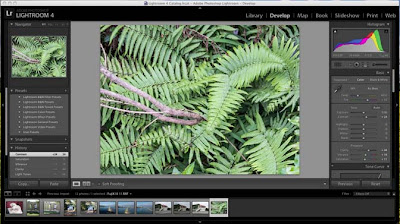
I had a chance over the weekend to download the trial version of Lightroom 4.3 from Adobe's website. I'm looking at RAW Conversion software for the tricky X10 RAW files (Fuji call them RAF files), and had hit a brick wall with all of the options I personally owned (see last post). Except for a very brief stint several years ago, I've never been a Lightroom user - choosing Aperture instead. Hindsight is a wonderful thing, and maybe Apple wasn't the way to go, but they were the first to come out with a 'Pro' RAW conversion application, and I was an early adopter. So I've stayed with them all the way through. But now it seems that they have lagged too far behind, offering no RAW support for the X10 (and an apparently inferior RAW processing engine, depending on who you listen to)? So I downloaded Lightoom, to see if it offers better support for the X10. Lightroom and Fuji RAF files - a beautiful thing. The above image speaks volumes! Finally, RAW suc...

Shooting RAW on the Fuji X10

Image
One of the things 'real' photographers (as opposed to fake plastic ones?) look for in a compact camera is the ability to shoot in RAW. All top-end compact cameras now have this ability, and the Fuji X10 is no exception. However, as anyone who has owned a few different cameras from a few different systems will tell you - RAW is not created equal. In fact, no two RAW codes are the same. So, the RAW image from a Nikon D90 is different from the RAW image in a Nikon D80, which is different from the RAW code in a Nikon D200, which is different from.... you get the idea. This is why software like Lightroom and Aperture get frequent updates - to include all the new RAW coding for all the new cameras. This often means a 'lag' period before the new RAW code is reverse engineered and sent out to everyone, so early adopters of new cameras beware - you may not be able to process that RAW file in your preferred software for a few weeks (months) while the software engineers figure i...